What Disappears: The Xactimate Project Tree
Xactimate Learn
Mar 1, 2026
Zach Gardner, CEO @ClaimsFlow
What Disappears: The Xactimate Project Tree
This post is part of the What the PDF Doesn't Tell You series — a look at what gets lost when an Xactimate estimate becomes a PDF, and why it matters.
Before you can evaluate individual line items in a large loss estimate, you need to understand the scope and shape of the loss. In Xactimate, the project tree gives you that — rooms grouped by floor, nested under areas, every item tied to a specific location.
When that estimate becomes a PDF, the project tree disappears. What's left is a flat, sequential list with no structural context.
What the PDF Strips Out: The Project Tree
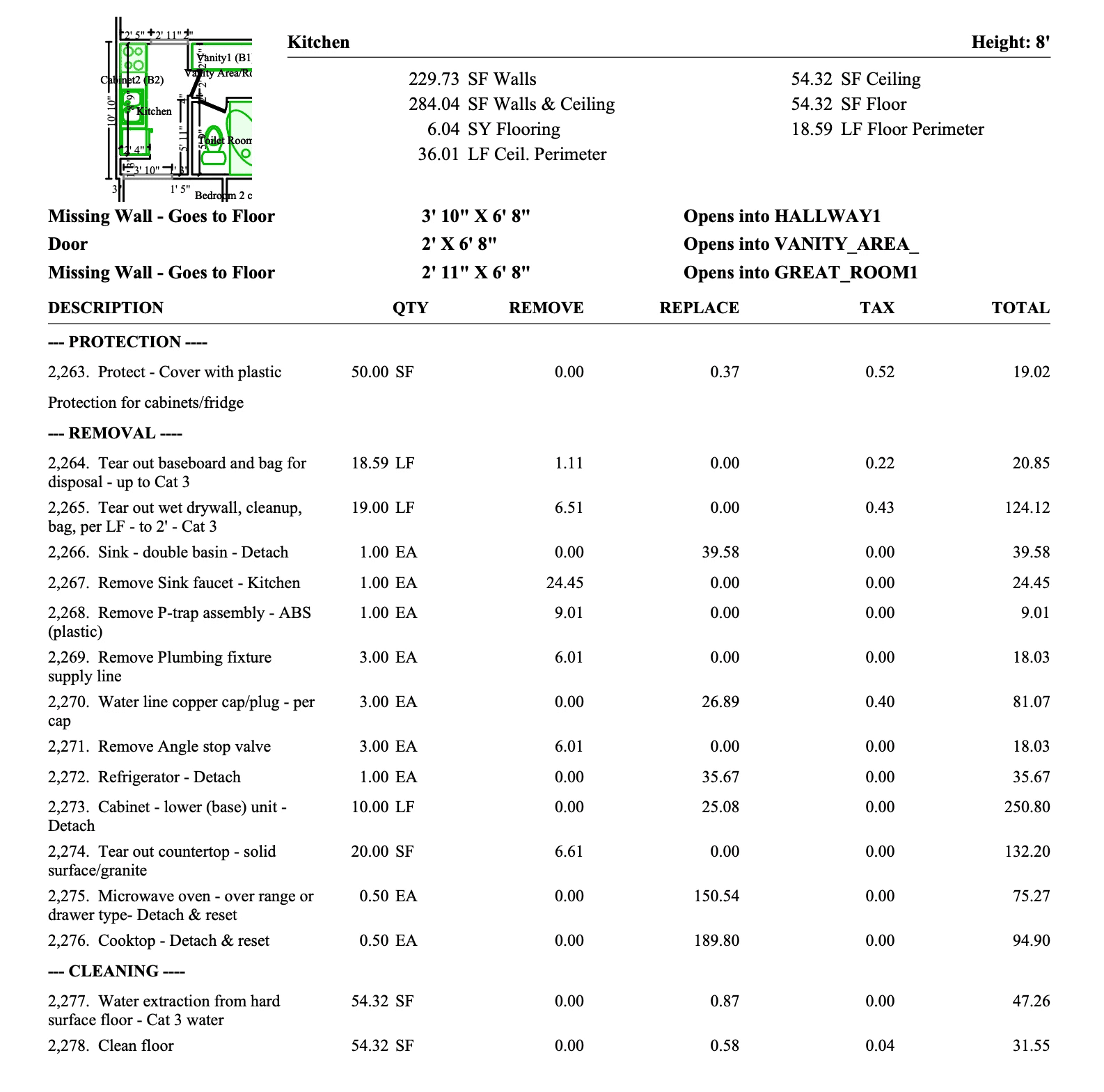
Imagine receiving a PDF estimate for a large hotel loss: 308 pages. $357,885. 2,334 line items.
You open it and start reading. Kitchen. Kitchen. Kitchen. Kitchen.
There are 41 of them.
But which kitchen belongs to which hotel room? Is the Kitchen on page 47 part of Room 105 or Room 205? Did the estimator scope all 41, or did a few get missed in a building this size? Are the kitchens on the second floor scoped the same way as the ones on the third?
The PDF doesn't tell you — and it can't. The format wasn't designed to preserve structural context.
The carefully organized Xactimate estimate — rooms grouped by floor, nested under areas, every item tied to a specific location — has been compressed into a flat, sequential list. The project tree is gone. This is the same kind of data loss that makes custom line items invisible in PDFs. What remains is a document you have to reverse-engineer by hand.
For a small loss, this is inconvenient. For a 308-page hotel, it's a serious problem.
See. Understand. Verify.
Reviewing a large estimate requires three things. The project tree makes each one faster.
1. View the Estimate: Is everything actually here?
First: orientation. Before you evaluate anything, you need to know what you're looking at.
In the hotel estimate, that means confirming all 41 kitchens are scoped and that none are missed. It means knowing Room 105 includes a Kitchen, Great Room, Toilet Room, Vanity Area, and Bedroom. It means being able to see, at a glance, that the 2nd Floor Hallway breaks into South Stairs, a Vending area, a Corridor, and a Meeting Room.
Without the project tree, that structure disappears. You're reading a flat list and trying to recreate the building in your head. With the tree, the structure is right in front of you — every room and area is accounted for and in the correct place.
2. Understand the Estimate: Where are the differences, and what's driving them?
Once you can see the full structure, patterns jump out.
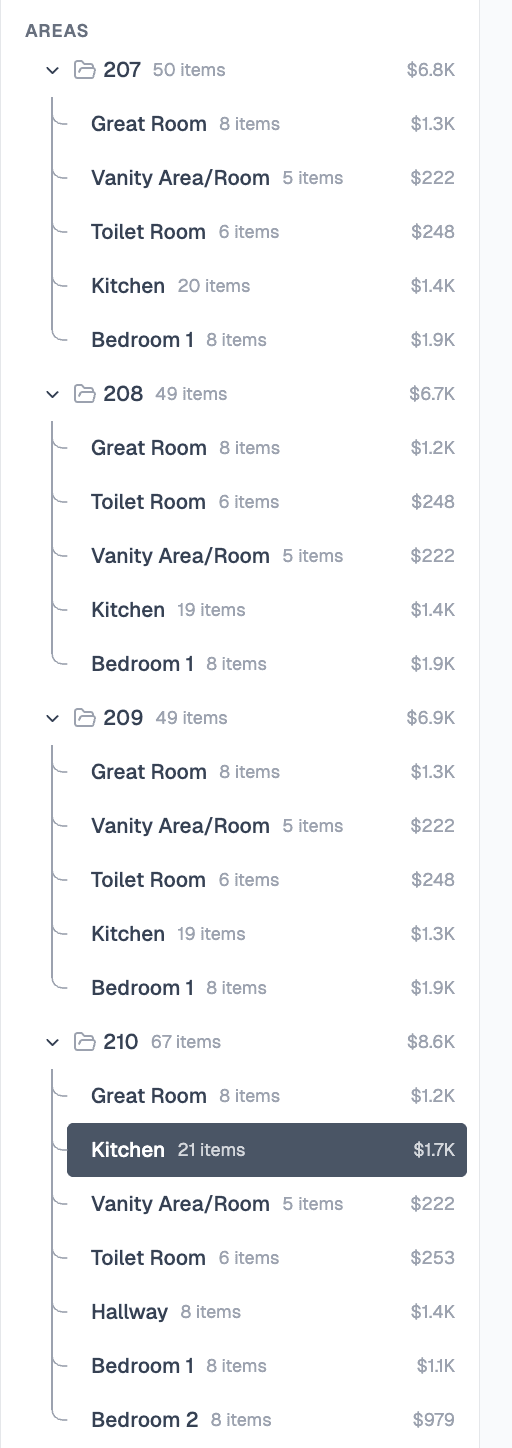
Rooms 207, 208, and 209 are nearly identical: 49–50 items each, $6.7K–$6.9K. Then Room 210 appears: 67 items, $8.6K. That's a 25% premium over comparable rooms on the same floor.
In a flat PDF, that anomaly is invisible. In the tree, it takes ten seconds to spot. The next question is obvious: what's in Room 210 that isn't in the others?
3. Verify the Estimate: Is the difference legitimate?
This is where the tree pays off most.
Room 210's kitchen costs $400 more than Room 209's. The next question is: why? With a PDF, it's hard to even ask that question — the rooms are too scattered to compare. With the project tree, however, it surfaces in seconds. Once you drill in, the answer is clear: Room 210 had greater moisture damage, requiring 12 air movers that no other room needed. That single line item explains 70% of the difference.
This is not an error nor overcharge. It's a legitimate scope difference that's documented and explainable.
The tree helps you surface anomalies and gives you the context to resolve them. It's the difference between scanning a document and understanding a loss.
ClaimsFlow's PDF to ESX Restores the Project Tree
A PDF gives you a list. ClaimsFlow gives you a map — a visual, navigable representation of the Xactimate estimate. When you upload a PDF estimate, ClaimsFlow restores the full project tree: every floor, room, and area in its proper place, along with item counts and RCV values.
No manual reconstruction. No converting the PDF back to Xactimate ESX by hand. The structure the PDF stripped out is back before you review or edit.
A Faster Path to Clarity
The insurance claims process works best when all parties are working from the same clear picture of the loss. Disputes slow things down. Missed items slow things down. Hours spent manually reconstructing scope from a flat PDF slow things down.
The project tree doesn't resolve disputes. It removes the conditions that make them likely.
When you can verify completeness in minutes, spot anomalies without scrolling through 300+ pages, and understand why two similar rooms carry different costs, you spend less time on orientation and more time on judgment. That keeps everything moving forward.
The project tree is just one thing the PDF strips out. Custom line items, trade data, F9 notes, and pricing context all disappear too. See the full picture in What the PDF Doesn't Tell You.
Try It On Your Next Estimate
Upload a PDF estimate and see the project tree ClaimsFlow restores for you. Try for free at claimsflow.io. See how J&J Remodeling saved 12-20 hours per week using ClaimsFlow on large loss estimates.
Related articles:

